How to make ChatGPT sound more human
ChatGPT sounds like ChatGPT because of a small set of habits you can learn to spot and prompt against. The fixes below work up to a point, and knowing where that point sits saves a lot of wasted rewording.
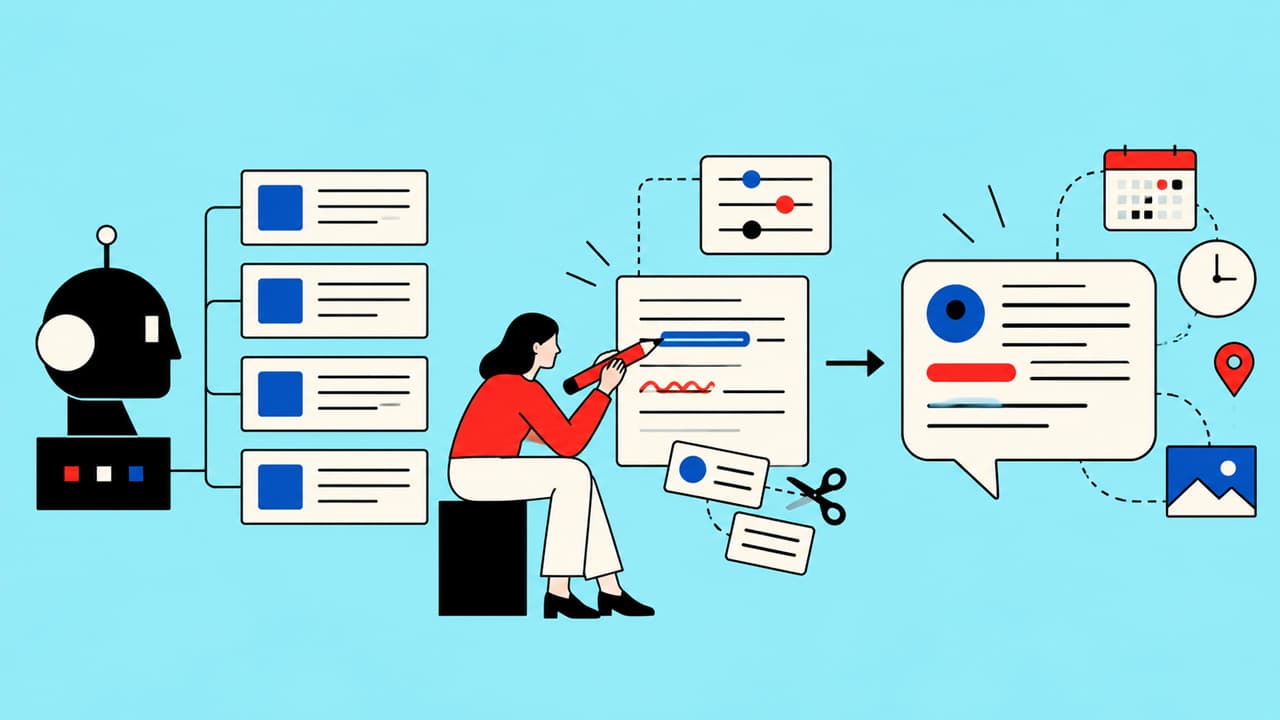
What makes ChatGPT sound like ChatGPT?
Once you have seen these, you see them everywhere.
- Paragraphs of near-identical length, three or four sentences each, every one closing its point neatly
- Lists of three where each item has the same grammatical shape
- Openers that set the scene before saying anything ("When it comes to...")
- A final paragraph that restates what you have just read
- Both-sides balance, even when you asked for an opinion
- A small family of favourite words that turn up whatever the topic
- Claims introduced by first denying a different claim
Notice how little of that is vocabulary. Swap every word and the rhythm still gives it away. Readers register the evenness well before they spot any single phrase, which is why a find-and-replace pass rarely fixes it.
Why "sound more human" doesn't work as an instruction
The usual first move is to add "write in a conversational, human tone" to the prompt. The model complies by adding contractions, a rhetorical question and perhaps "honestly" somewhere in the second paragraph. The result reads like a corporate account attempting to be casual, which can be worse than the original.
"Human" gives the model nothing to act on. It already treats its default output as natural, conversational writing; that is what it was tuned to produce. You get much further by naming the specific behaviours you want.
Prompt fixes that actually change the output
These make a visible difference. Use several together.
Name the reader and their situation. "Write for a café owner who has just had a bad review and wants to reply tonight" produces a very different piece from "write for small businesses". A specific reader pulls specific details into the draft.
Ask for uneven rhythm, explicitly. "Mix very short paragraphs with longer ones. Some sentences under six words." The model follows this well when told. It just won't do it unprompted.
Ban patterns as well as words. "Do not summarise at the end. Do not open by setting the scene. Do not group points in threes. Start with the most useful sentence." Pattern bans hold up better than word bans, because a banned word tends to be replaced by its nearest neighbour.
Give one example and say what to take from it. Paste a paragraph you wrote and point at what matters: "Notice the short first line, the plain vocabulary, the way it names a specific cost." Leave out that second part and the model copies the topic while missing the style.
Ask for a position. "Take a clear view and defend it. Mention the strongest objection once, then move on." That removes most of the both-sides hedging.
Ask for less. Request half the length you think you need. Padding is where stock phrasing collects, and a tight word limit leaves it less room.
Use a second pass. Ask the model to list every sentence that could appear in anyone's post on this subject, then rewrite only those. It is better at spotting generic lines than at avoiding them first time.
A before and after
An invented example: a mobile dog groomer wants to email past customers about new Saturday appointments.
The bare prompt, "write an email announcing Saturday appointments", gives roughly this:
"We're excited to announce that we are now offering Saturday appointments. We understand that your busy schedule can make it difficult to find time for your pet's grooming needs..."
Add the fixes. The reader is a working owner who has been squeezing appointments into lunch breaks. Open with the news. Short paragraphs, no summary, one line with some personality, under eighty words.
"Saturdays are open from next month."
"If you've been booking around your lunch break, or leaving work early to meet the van, you can stop. Slots run 8am to 2pm and they will go quickly in December, when everyone wants a tidy dog for visiting relatives."
"Reply with a time and I'll confirm it the same day."
The second version is clearly better. Read it again, though, and it sounds like a competent copywriter more than like this particular groomer. That is roughly where prompt fixes leave you.
How do you check a draft before it goes out?
Prompting gets you a better first draft. A quick edit catches what is left, and it takes a few minutes once you know where to look.
Start with the first and last paragraphs, because that is where the habits cluster. Underline the first sentence that contains something specific to this piece: a name, a number, a date, the actual offer. If that sentence is not the first one, move it up and cut what sat above it. If the closing paragraph repeats what came before, cut it and end on the last useful sentence.
Then scan the shape. Squint at the page: if every paragraph is the same height, merge two or split one. Look for any list of three and ask whether there really were three things, or whether the third was added to complete the pattern.
Next, hunt the hedges. Words like "often", "can" and "may" are sometimes accurate. Where you actually know the answer, commit to it.
Finally, read it aloud, or have a colleague read it to you. Spoken, the stock phrases sound like announcements on a train, and you will hear them long before you would have seen them.
This pass is worth doing even on drafts you wrote yourself. It is just more necessary on ChatGPT's.
Why do the tweaks stop working?
After a while the returns shrink. You add another rule and the output changes in a way you didn't want. Call it the prompting plateau. It has four causes.
Rules describe what to avoid. They say nothing about what the writing should be instead, so the model fills the gap with a slightly different default. Ban one stock closing phrase and you get its cousin.
Long prompts dilute. The model weighs everything it has been given, and the twentieth rule competes with the request itself. In a long conversation, early instructions also lose force as newer material piles up.
The rules live on your clipboard. Each new chat starts clean unless you paste them in again, and a colleague using the same tool gets none of them.
The biggest one: the prompt still holds no point of view. Your fixes make text read less like a machine. Nothing in them says what your business believes, who it serves, or how it behaves when it disagrees with a customer, so the writing gets more polished and stays anonymous.
What comes after the plateau
The next step is to swap rules for a description. Write down how you sound as behaviours, who you write for, the words you use and avoid, and how you shape a piece. Then keep it somewhere the tool will see it every time. ChatGPT's custom instructions and projects both let you store standing context so you aren't pasting it into each chat. Our post on training ChatGPT to write in your voice sets out a method for building that document.
That gets one person, one voice and one tool working well. It starts to strain when you write for several audiences, or when several people write for the same brand: the description grows, audiences blur together, and channel rules end up in someone's personal notes. BraVo keeps those layers separate (business, brand voice, up to three audiences, copywriting framework and channel), applies writing rules during generation, and has a validator revise any draft that falls short.
Before any of that, change one thing in your next prompt. Delete "make it sound human" and put in its place the name of a real reader and the first sentence you would want them to read.

How to make AI writing sound like you
AI writes the average because nothing in the prompt asks it to choose. Here is how to give it the decisions that make writing sound like you.
How to train ChatGPT to write in your voice
ChatGPT doesn't retrain on your writing. It reads the context you give it, so the work is in writing that context well.

Why AI content sounds generic, and what actually fixes it
Everyone can spot AI writing now. The problem is not the model, it is what the model was given to work with.
Give your writing a voice to start from
BraVo generates each piece through your business, brand voice, audience, framework and channel, and everything it writes stays editable.